Watercolor, scale maquettes & presentation modes·
Keeping Crisp Hand-Drawn Ink Expressiveness Inside Atelier Watercolor Renders
Maintain architectural character lines, delicate stippled trees, and double-weight corners cleanly inside AI ink-and-wash outputs.
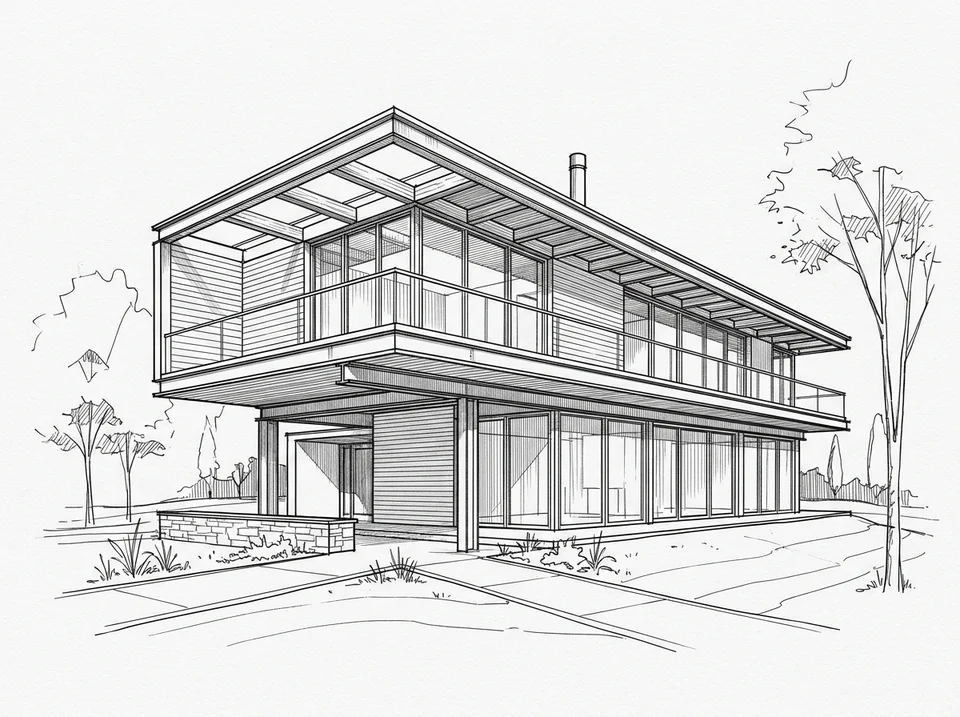
Great hand perspective drawings radiate undeniable architect personality—those tiny crisp corner pen overshoots, dotted foliage texture stipples, and tapered sky horizon lines. Bad digital filters dissolve those expressive lines completely into generic smeared watercolor soup! Here is how to lock crisp line soul straight inside Atelier Watercolor.
3 Line-Preservation Habits When Drawing for Watercolor Wash

↔
- Preserve crisp outer black line weight contrasting thin interior textures: Heavy outer building fascia corners lock silhouettes firmly while translucent washes dance freely inside wall panels!
- Switch Lighting deliberately: Test Golden hour for warm sunlit ochre shadows or Soft overcast for crisp neutral pale competition paper restraint cleanly inside SketchRender AI.
- Avoid over-filling custom material prompts: Simply let Atelier Watercolor celebrate bare ink lines with gentle directional shade—too many literal brick and shingle adjectives push outputs back toward stiff realistic CGI cleanly!
Further architectural reading
- ArchDaily — Blending Ink Perspective Linework With Architectural Color Wash
Maintaining line extension overshoots, warm rag paper tooth, and controlled edge color bleed.
Related sketch-to-render decisions
Sketch preparation, linework & CAD inputs
Fine-Liner Ink vs Graphite Pencil Sketches for Clean AI Renders
Sketch preparation, linework & CAD inputs
Procreate & Morpholio Trace iPad Sketches to Photoreal Architectural Renders
Watercolor, scale maquettes & presentation modes