Geometry fidelity, AI QA & client pitch decks·
Controlling Hallucinated Trees, Roof Eaves & Windows With Custom Prompts
Stop overgrown pine trees from hiding clean elevations and steer roof fascias or brick bays precisely using custom materials prompts.
Notice how AI image models love placing dramatic oak trees diagonally across building openings or tossing random rooftop pergola slats over empty flat parapets unless sketched line boundaries stay assertive! Putting crisp custom modifiers inside Or describe custom materials & atmosphere keeps visuals laser-accurate cleanly.
Prompt Steering Tactics Inside SketchRender AI
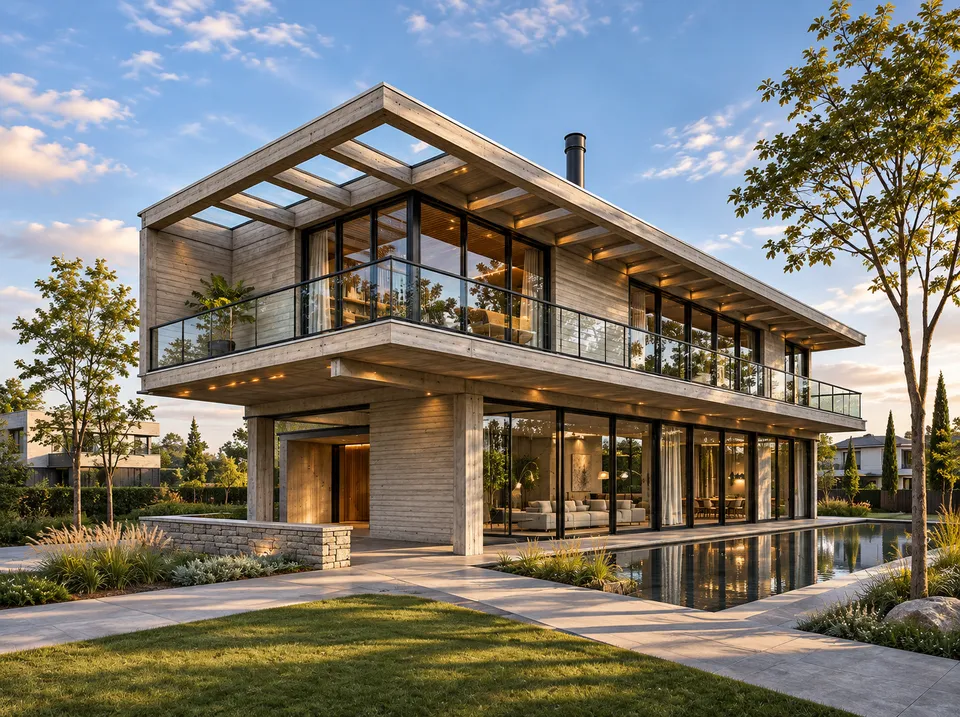
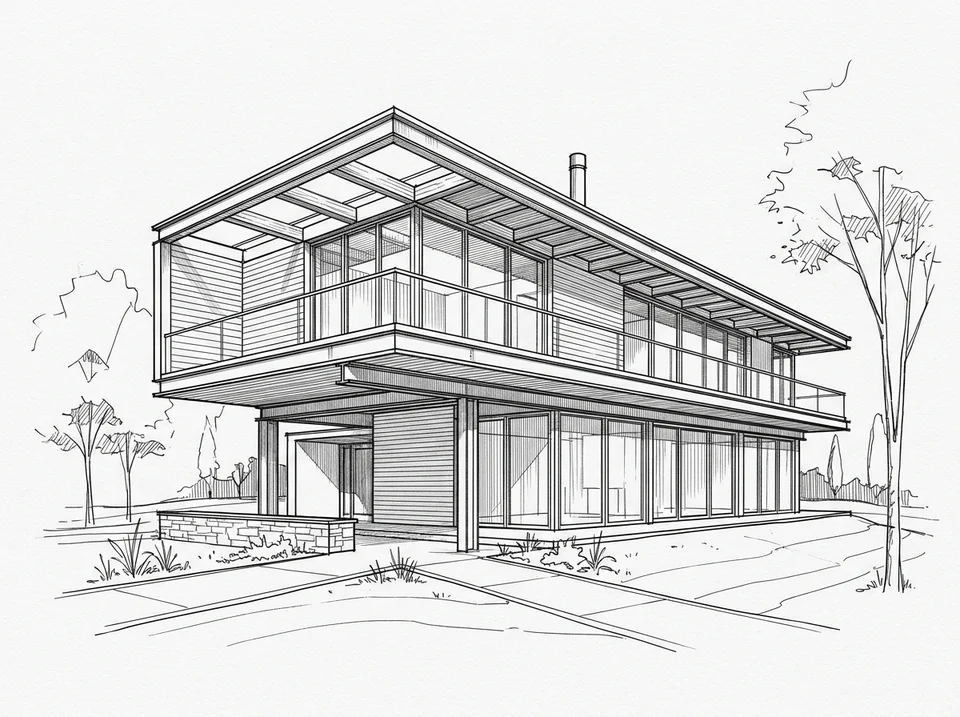
↔
- To uncover hidden glazed facades: Toggle Landscaping OFF temporarily if central foliage swallows elevation bays, or type "keep primary south glass facade completely unobstructed cleanly with zero trees crossing in front of window glass; keep sparse low ornamental gravel plants strictly off left margin" in SketchRender AI.
- To freeze flat modern parapet caps: Explicitly state "crisp thin dark steel fascia along strictly flat horizontal roofline, zero added sloped gables or extra dormers".
- To switch individual facade zones: Mix presets gently cleanly ("warm charred timber upper volume floating cleanly over smooth monolithic board-formed concrete base").
Further architectural reading
- Dezeen — Architectural Line Restraint & Prompt Steering
Prompting clear sky/facade framing without dense unwanted tree canopies.
Related sketch-to-render decisions
Geometry fidelity, AI QA & client pitch decks
How to Audit AI Sketch Renders: Cantilevers, Columns & Mullion Alignment
Photoreal architectural material styles
Rendering Reflection Pools & Architectural Landscaping From Simple Ink Lines
Sketch preparation, linework & CAD inputs